
Everything your PTO runs on, in one place families actually use.
Roster, payments, fundraising, communication, and the treasurer's books — beautiful, mobile, and free. No parent logins. No per-family fees.
Free platform One transparent 3% fee Set up in a weekend
100%
of the sticker goes to your PTO
0
logins parents have to create
1
tool instead of five
~2%
fee — published, never hidden
What is PTO Homeroom?
PTO Homeroom is free software for parent groups — PTAs, PTOs, HSAs and booster clubs. It combines the roster, communication, volunteer signups, online payments, fundraising campaigns and the treasurer's books in one place, so families never create a password and boards stop paying for three separate tools. There is no subscription; a published 3% platform fee applies to money processed through Homeroom and is shown at checkout.
Last updated . Competitor pricing on this page is cited from vendors' own published rates.
PTO software has been stuck for a decade.
Every board knows the drill: the tool is clunky, the fees are murky, and half the families never see it. Here's what you're really fighting.
Parents never log in
Login-gated tools stall at a fraction of families — so announcements, sign-ups, and payments never reach the people they're for.
Fees you can't explain
“Free” platforms can take a large cut at checkout. Families feel it, boards field the questions, and nobody can say where the money went.
Two tools, twice the work
Comms in one app, the books in another — treasurers re-key every transaction by hand and hope it reconciles.
A yearly rebuild
Rosters get wiped each fall. Parents re-enter grade and teacher. The new board inherits a tool nobody taught them to run.
It looks like 2010
Clunky, cramped, desktop-first. Volunteers dread opening it, so adoption dies and the PTO falls back to paper and group texts.
Money you can't trace
Cash envelopes, no receipts, no audit trail. Reimbursements live in a shoebox and reconciliation costs a lost weekend.
Built for the way PTOs actually work.
Parents never make a password
Every email carries a magic link. Families RSVP, sign up, and pay in two taps — so your reach isn't capped at the few who made accounts.
One honest fee, published up front
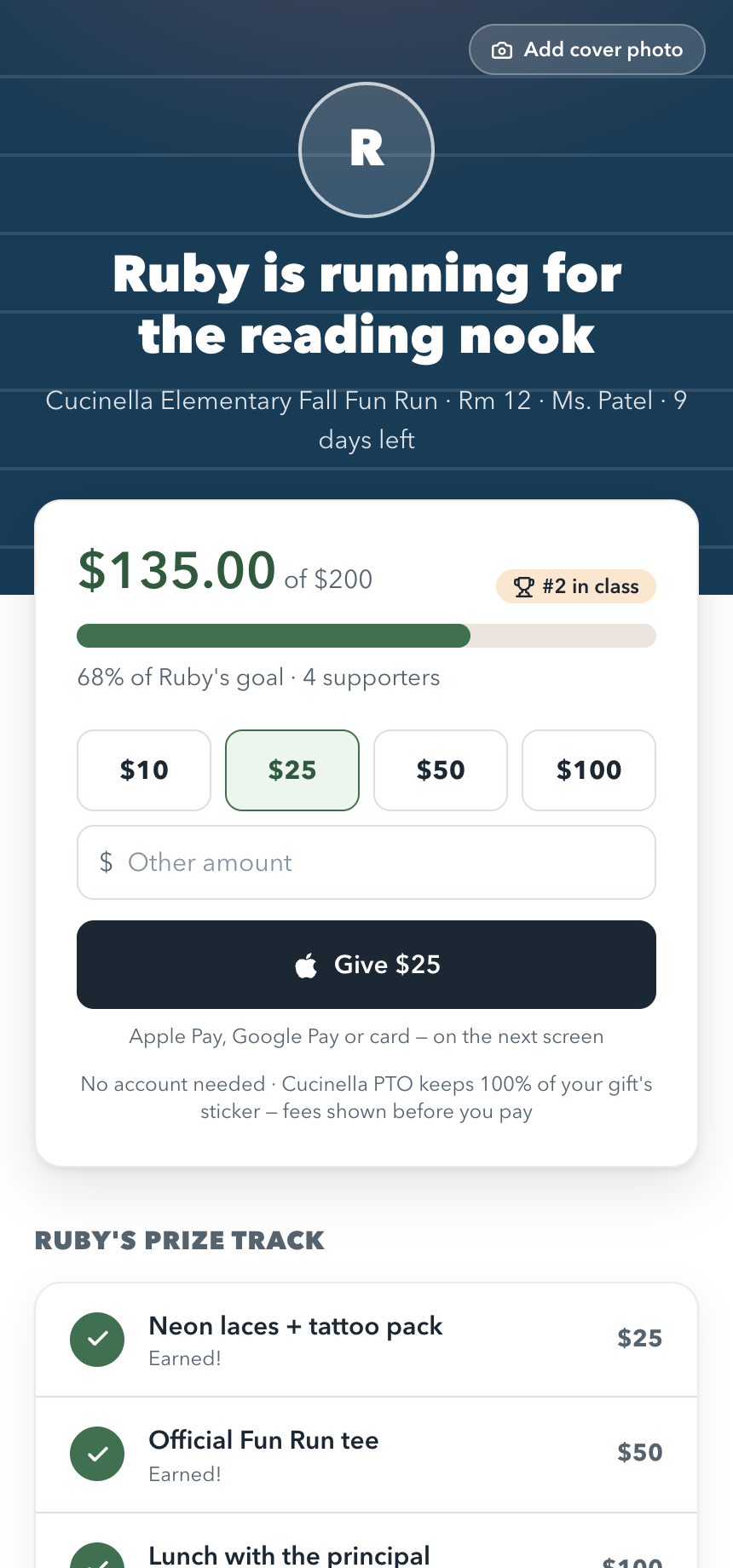
The platform is free. A transparent 3% shows on every checkout, and your PTO keeps 100% of the sticker price — no surprises.
Comms and the books, together
Every payment auto-posts to a real treasury — budget vs. actual, receipts, reimbursements, audit trail. No second tool, no re-keying.
Survives every board handoff
Reversible year rollover, roles you control, and a full audit log. Next year's board inherits a system that just works.
Every school runs a different fundraiser. So does Homeroom.
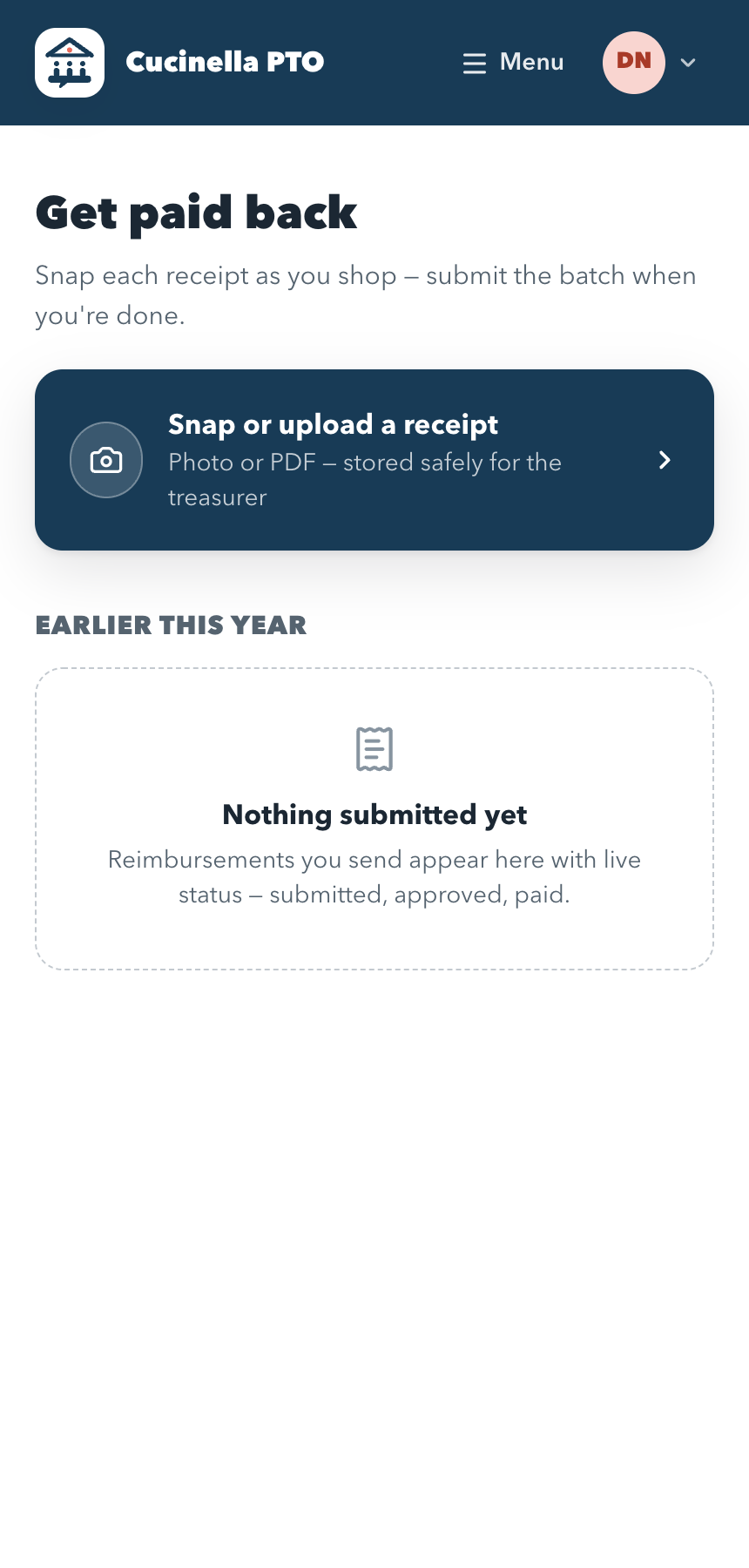
Start from a ready-made setup and just fill in the details, or build your own structure from scratch. Flat gifts, per-lap or per-minute pledges, or both — it's a setting, never an assumption.
Goals and prizes at every level
- StudentA page per child — auto-made from your roster
- Teacher / RoomClass totals and classroom-vs-classroom races
- GradeGrade-level goals and bragging rights
- SchoolThe one number everyone is watching
Set a target and a prize ladder at any level you use — or turn levels off entirely. Running a simple direct ask? One goal, one page, done.
One platform. Every job your PTO does.
Real payments, honest fees.
Card, Apple Pay, and Google Pay at checkout — no account required. The 3% and processing show as line items, so families see exactly where every cent goes and your PTO keeps the full sticker.
- Funds settle to your PTO's own bank
- Partial refunds, cash and checks in one ledger
- Receipts emailed automatically
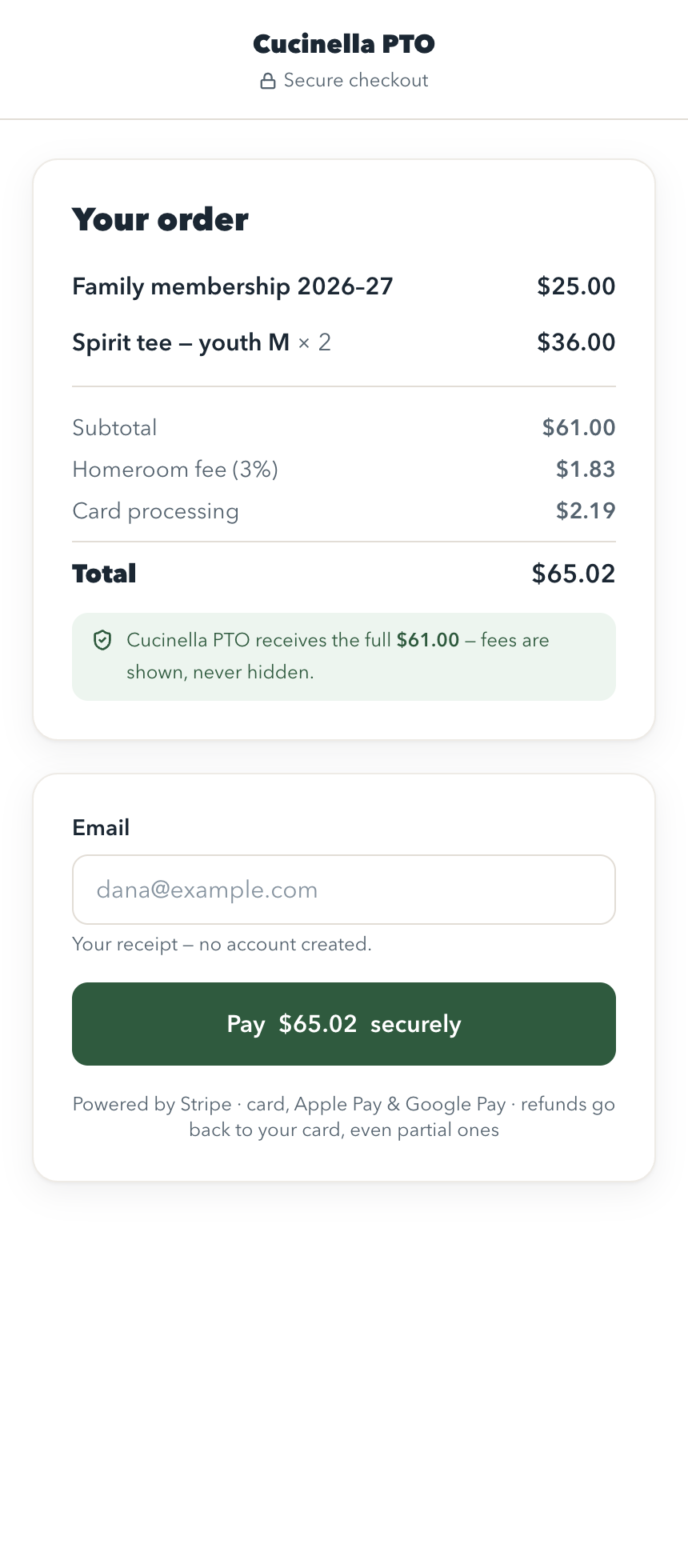
Every dollar tracked, automatically.
The headline number reconciles to Stripe and the bank by construction. Budget vs. actual by committee, a reimbursement queue, and a one-click audit packet — the treasurer's whole job, finally sane.
- Budget vs. actual, live
- Reimbursement approvals with receipts attached
- Export a clean audit packet in a click
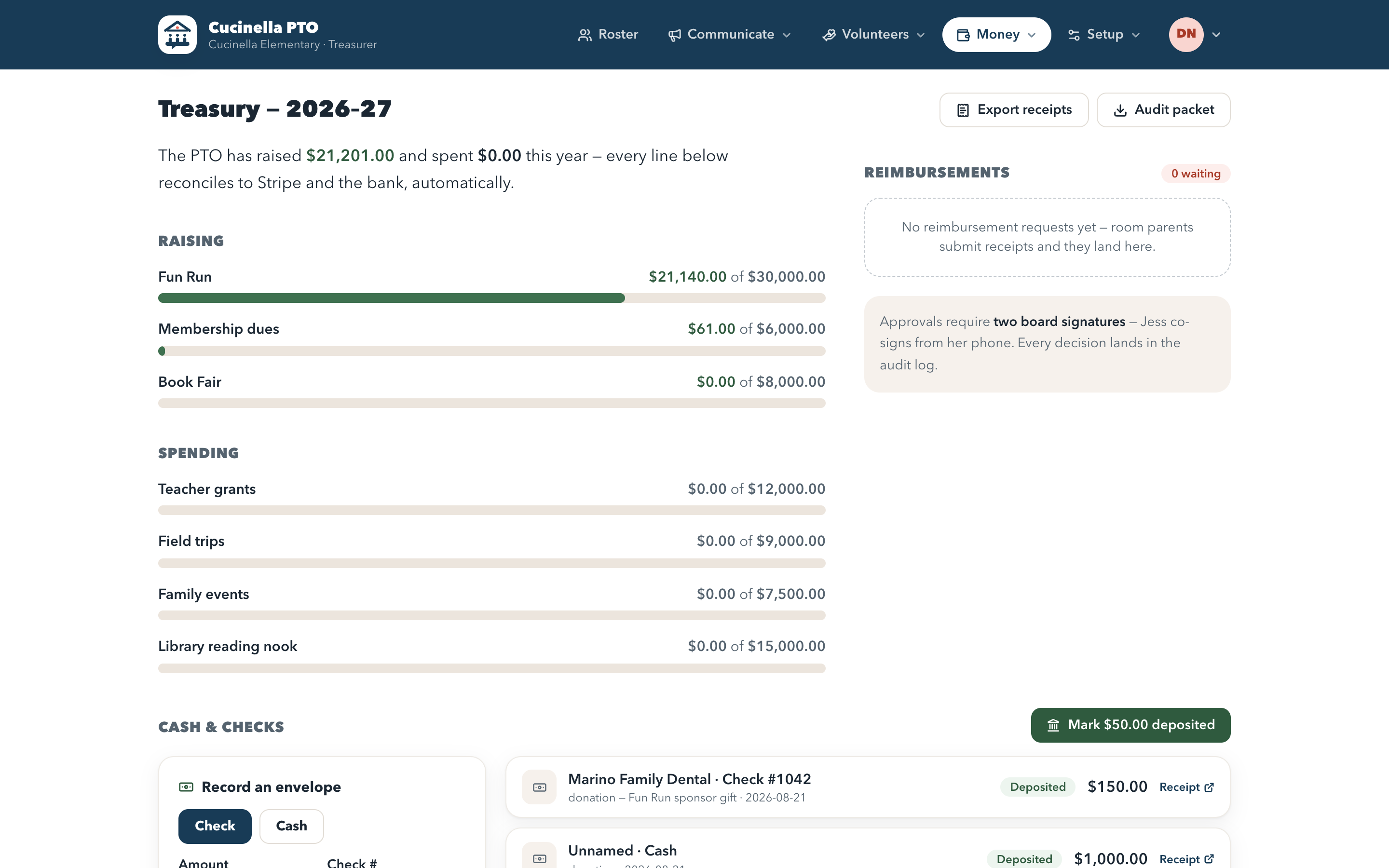
No more shoebox of receipts.
Room parents snap a photo as they shop; it uploads to secure storage tagged with who bought it and for which room. The treasurer exports one tidy ZIP — every receipt named by person and classroom, plus a manifest.
- Snap-and-submit from any phone
- Named by submitter and room for the treasurer
- Approve → paid, with a full trail
Reach every family, no app required.
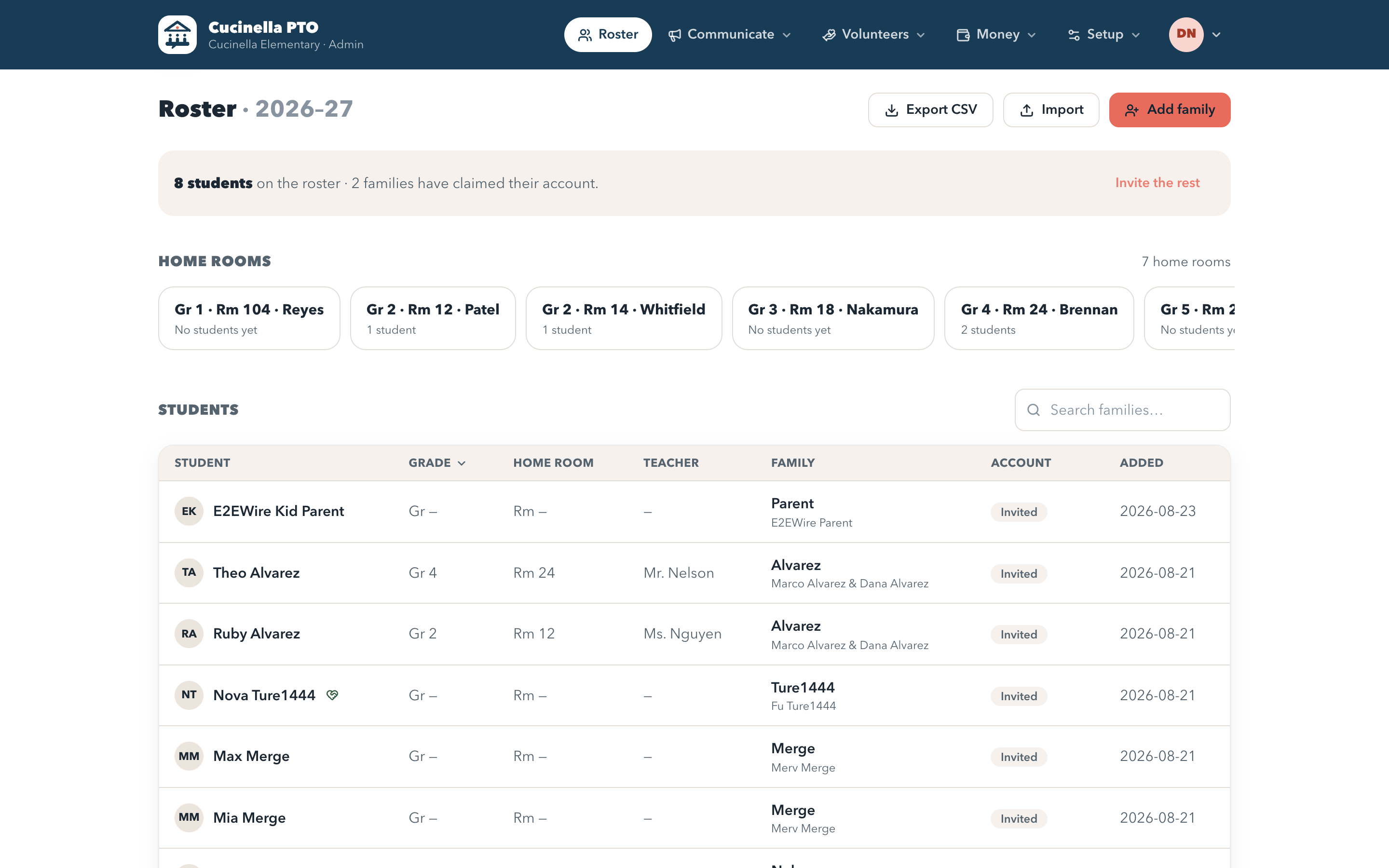
Beautiful, branded emails targeted by grade, room, or the whole school — each one carrying a magic link. Your PTO's name and colors on every message, sent from your own domain.
- Target by grade, homeroom, or school
- Per-PTO branding from your own domain
- Google Calendar and Meet built in
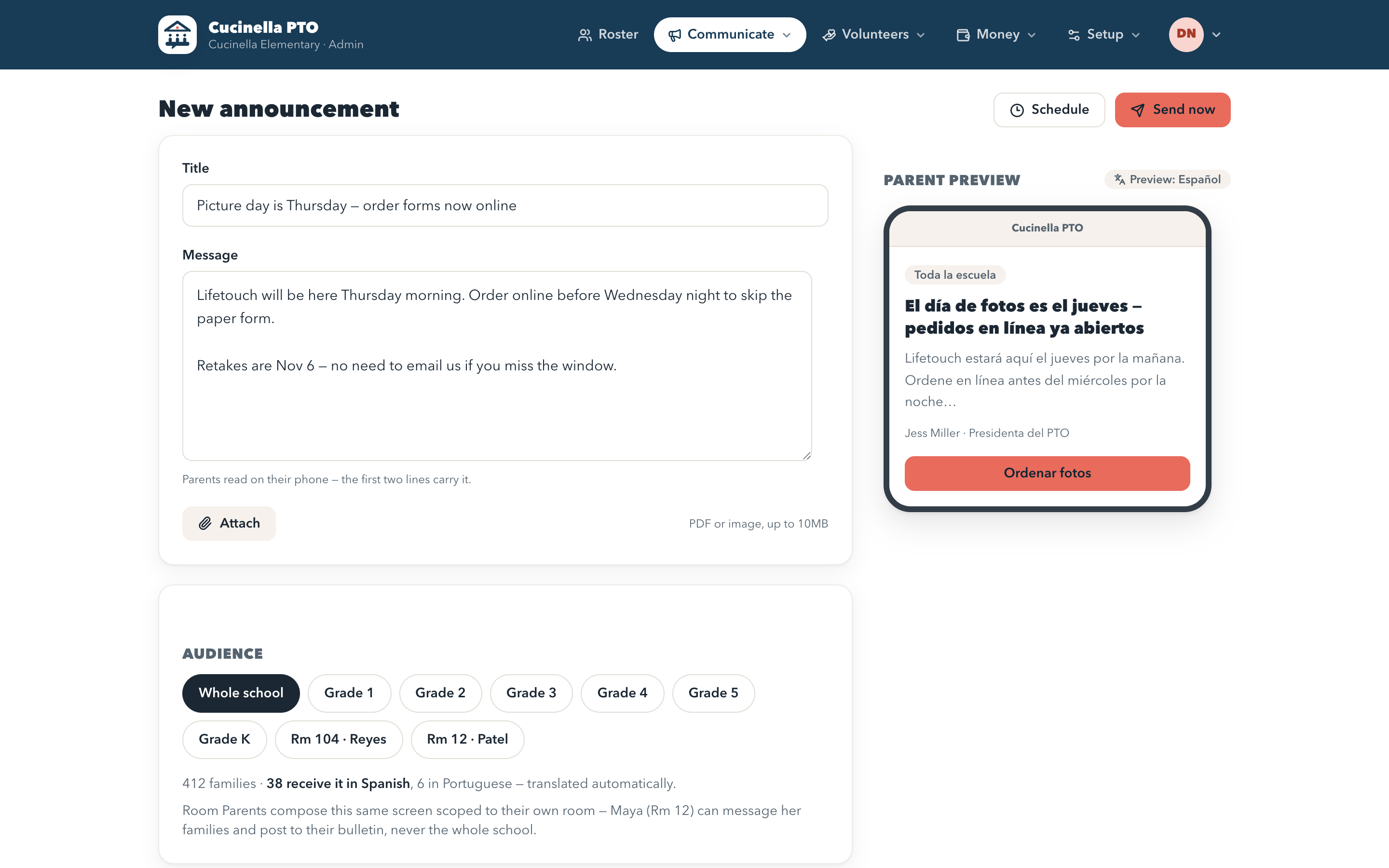
A card at the door, not a clipboard.
Every paid family gets a digital membership card showing the year they're paid through, with a QR code the board scans at events. Insurance says members only — this is how you actually check, in two seconds, without a printed list.
- Shows the year they're paid through
- Scan at the door, attendance logged
- Works from the family's phone, no app
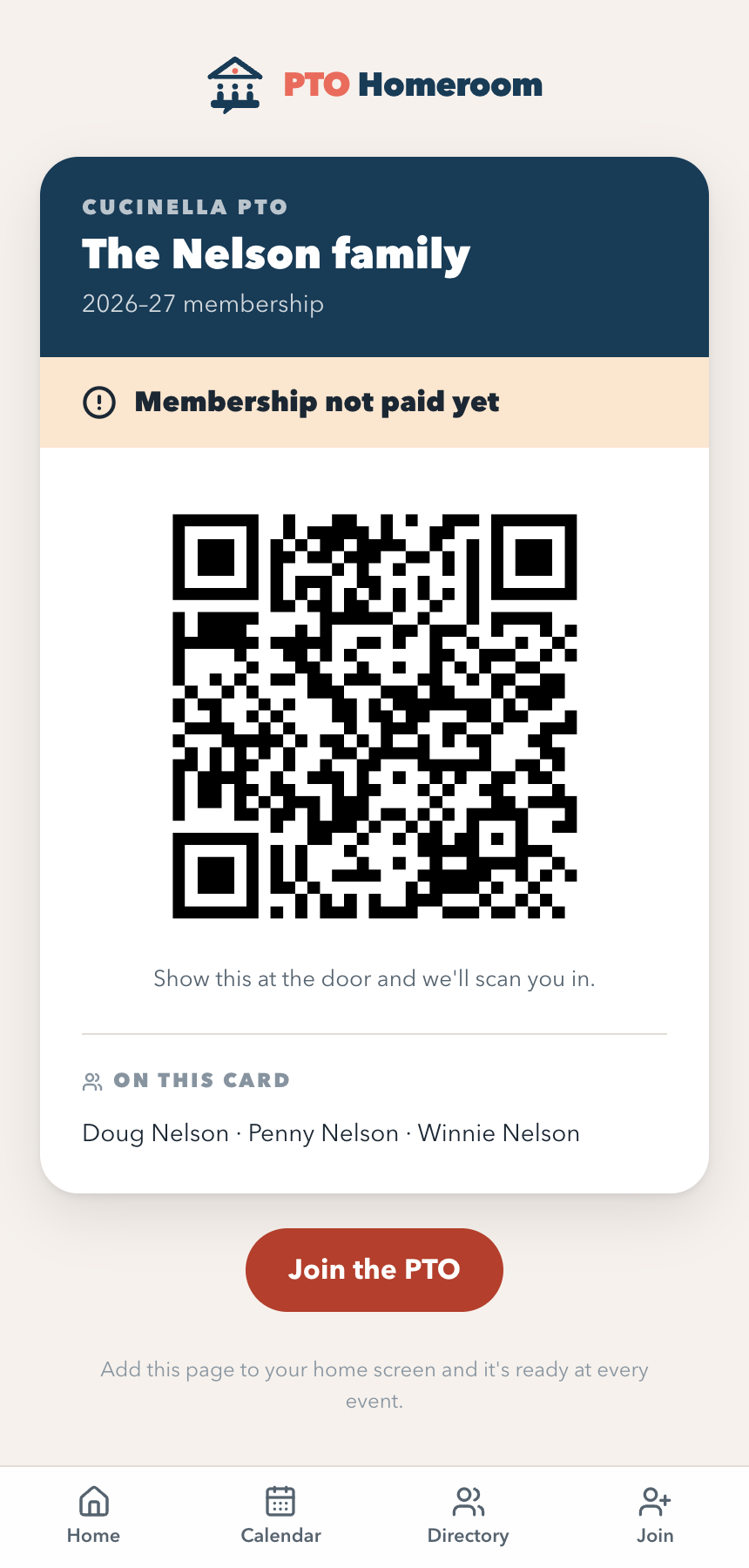
For the notes the office has to send.
The school owns the family email list, so the all-school PTO note goes through an administrator. Build it here from what's already in Homeroom, then hand her something she can forward without editing — dates and links can't be out of date because nobody retyped them.
- Assembled from your events, forms and dues
- One link for the whole note
- She gets a ready-to-send email, plus a .eml
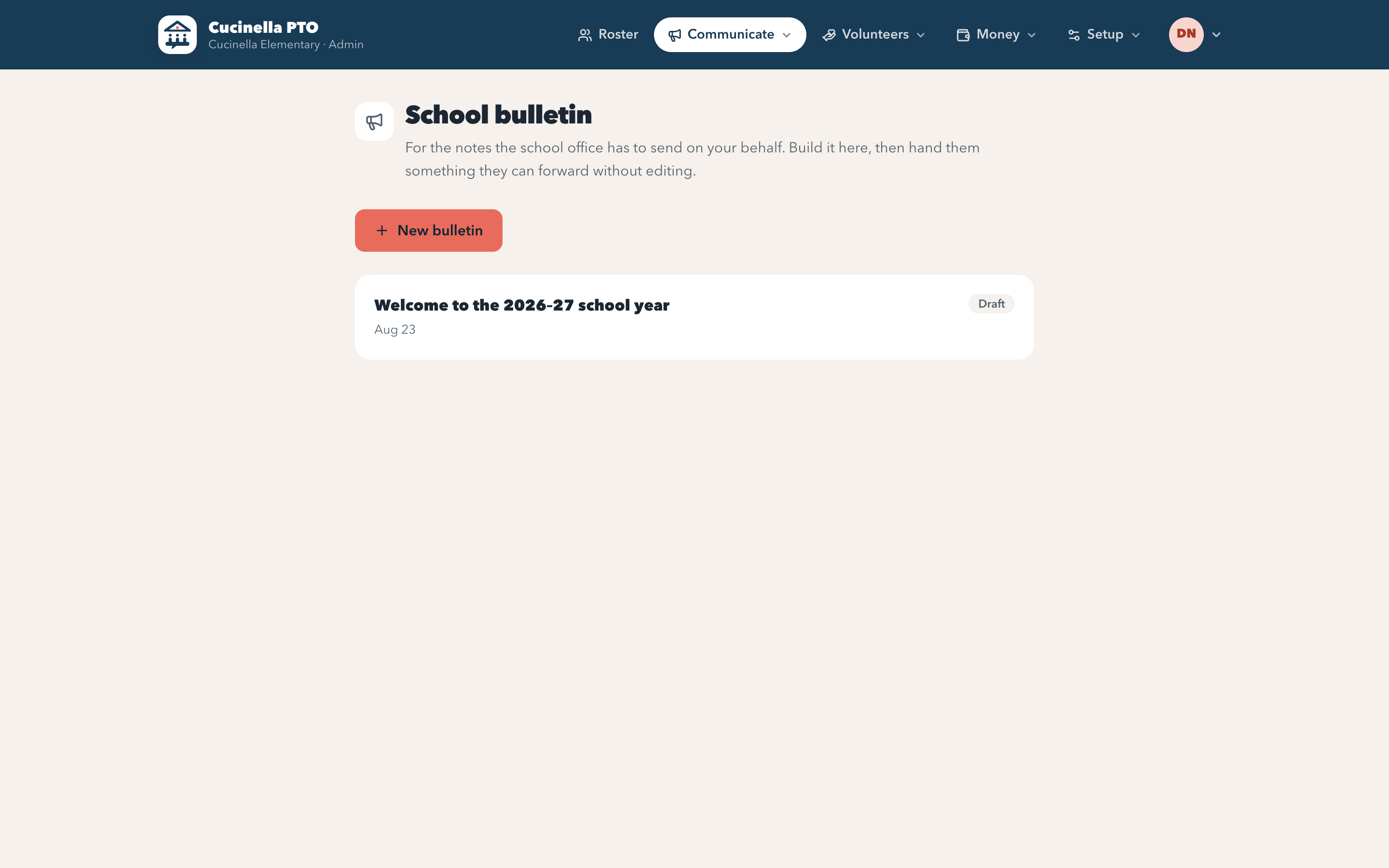
The roster that updates itself.
Grades, home rooms, and teachers as first-class structure — never a flattened spreadsheet. Parents keep their own family current by magic link, and rollover promotes everyone with one reversible click.
- Grade → Home Room → Teacher, kept intact
- Families self-update — you approve
- Reversible year rollover, nothing destroyed
Everything else a year actually needs.
None of this is exciting on a website. All of it is the difference between a tool your board uses in September and one they've abandoned by November.
Money
- Dues collected at signup — membership isn't active until it's paid
- Cash and checks recorded by the board, same ledger, same membership
- Your own Stripe account, so payouts land in the PTO's bank
- Year-end audit packet: payments, budget, reimbursements, audit log
Families
- Digital membership card with the year they're paid through
- QR check-in at the door, attendance logged
- Printable directory, opt-in and reset every year
- Families keep their own details current by magic link
Running the year
- School bulletin the office can forward without editing
- Announcements scheduled ahead, sent by a job that runs on its own
- Attach a flyer or permission slip to any announcement
- Teacher wish lists — PTO-funded, room-parent-funded, or parent-claimed
- Signups with waitlists, and forms with conditional questions
The boring, essential parts
- Set your own school year — dates and when dues open
- Your logo and colors, pulled from your website if you have one
- Roster import from PTBoard, Givebacks, Membership Toolkit or a bare CSV
- Survey and vote results exported per person — or truly anonymous, your choice
- Suggest and vote on what we build next
Free to run. 3% when money moves.
No subscription and no contract. If nobody pays you anything, we don't get paid either — which is the whole reason the platform can be free.
Free, with no asterisk
Every board member and every family. No seat count, no setup fee, no expiry.
3% when money moves
Shown as a line item and covered by the payer, so your PTO banks the full sticker price.
Your bank, not ours
Funds settle straight to the PTO's own account through your own Stripe.
See exactly how we compare to what you use now.
Published rates, the fees that are hard to find, and an honest section on each page about where that tool beats us.
PTO and PTA platforms
Fundraising vendors
Switching is the part boards dread. It takes an afternoon.
Nobody stays on software they like — they stay because moving looks expensive. So we built the import first, and made it safe to run twice.
Export a CSV
From PTBoard, Givebacks, Membership Toolkit, Konstella — or the spreadsheet you already keep.
Drop it in
We work out what your columns mean. Grades like “Kindergarten”, “K” and “3rd” all land correctly.
See what will happen
A plain summary — new families, ones we already have, rows we'll skip — before anything is saved.
Import
Siblings join one family, parents merge by email, and re-running the same file never duplicates anyone.
And you won't be asked for a hex code: give us your existing PTO website during setup and we'll read your colors and logo straight off it.
The things you'd want to know before switching.
Is it really free? How do you make money?
The platform costs nothing — no subscription, no per-family or per-admin fees, no expiry. We take a published 3% on money that moves through Homeroom, shown as a line item at checkout and covered by the payer by default, so your PTO banks the full sticker price. A $199-a-year add-on for text messaging, translation and background-check tracking is coming later; nothing you use today moves behind it. That's the whole business model, and there is nothing else to find.
Do parents have to create an account?
No. Every email carries a magic link, so families RSVP, sign up, and pay in two taps without inventing a password. Accounts are optional and progressive — which is exactly why reach doesn't stall at the handful of parents willing to register.
We're a PTA / HSA / booster club, not a PTO. Does it still fit?
Yes. Nothing in Homeroom assumes a particular kind of parent group — roles, dues, fundraisers, and the roster are all configurable. The name is just the name.
Can we run our fundraiser the way we already do it?
That's the point. Start from a ready-made setup — fun run, color run, walk-a-thon, read-a-thon, giving day, class challenge — or build your own from scratch. Flat gifts or per-lap and per-minute pledges, and goals and prizes at whichever levels you use: student, classroom, grade, school.
How does the money reach our bank?
Card payments run through Stripe and settle to your PTO's own account. Cash and checks get recorded alongside them, so the treasury reconciles in one place instead of two.
What happens when our board turns over?
Roles are data you control, the year rolls over without destroying anything, and every privileged action is in an audit log. The incoming board inherits a working system rather than a mystery — that's a design goal, not an afterthought.
Is our families' information safe?
Every row is scoped to your organization and enforced by the database itself, not just by careful queries. The directory is opt-in per family, families can be hard-hidden for safety reasons, and card details never touch our servers — Stripe hosts the payment fields.
We already have years of data in another tool. Isn't switching a nightmare?
That's the fear, and it's usually the reason boards stay somewhere they don't like. Export a CSV from whatever you use now — PTBoard, Givebacks, Membership Toolkit, Konstella, or a spreadsheet you keep yourself — and drop it in. We work out what your columns mean, show you exactly what will happen before anything is saved, and merge rather than duplicate, so running the same file twice is harmless. Most rosters take a few minutes.
Do we have to re-enter our branding?
No. Give us your existing PTO or school website during setup and we'll read the colors and logo off it. You can override anything, and you can skip it entirely.
How long does setup take?
A weekend, comfortably. Create your PTO in about two minutes, add grades, rooms and teachers, invite your board, then share a join link so families add themselves. No onboarding call, no data-migration ticket.
Still wondering something? Start free — you can look around before inviting anyone.
Bring your PTO home.
Set it up in a weekend, invite your board, and give families a tool they'll actually open. Free to start — no card required.
Free platform · transparent 3% · your money, your bank.
Already have an account? Log in
Not ready to switch tonight?
Most boards decide together. Leave your email and we'll send a short, forwardable intro — what Homeroom does, what it costs (nothing), and how a switch actually goes. One email, no drip campaign.